iPads/Tablet Computers

Overview
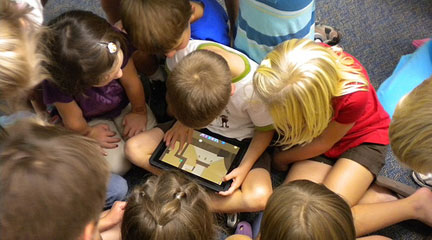
Mobile devices like iPads enable learning anywhere and anytime. Schools are increasingly integrating these tools instead of traditional laptop initiatives. Key benefits include customization for individual student needs (especially in special education), improved test scores, and increased student engagement. The iPad dominates educator adoption with over 9 million units sold and 500,000 available apps.
Getting Started
Schools typically select the low-cost 16GB WiFi-only model. Teachers can use DonorsChoose.org for financing. Initial setup requires creating an Apple ID for App Store, iTunes, and iBooks access. Accounts can be created with or without credit cards; free apps and gift card purchases are available options.
Flexible deployment models include personal iPad demonstrations with VGA adapters, document camera functionality, extension activities and rotating centers, and overnight checkouts for struggling students.
Example
Cloud-based learning using Google Docs, Dropbox, and Evernote enables saving and sharing student work digitally. Students can build e-books using Book Creator and digital stories via Story Kit, Strip Designer, and Comic Life. History students access primary sources through “Today’s Document,” Civil War 3D, and World HD Atlas. The key takeaway: tablets require thoughtful lesson planning and are only effective when integrated into well-designed instruction.